Category: C#

  • Changing of ExIf Tools

    As of Monday, ExIf 35 had its first major release. With the release of “Milestone 1”, daily build number 20100405, I decided that the application was feature complete and stable. The entire build package contained the released executable for the Windows version of the application, as well as two different mobile platforms (PocketPC 2003, Windows Mobile 5). The application works quite well for what its designed for, which is nothing more than tagging scanned negatives or prints with proper information that was recorded when the image was taken. This comes with several major problems, the least of which is that every film photographer in the world except me runs a Mac. The worst of the problems is that the majority of film photographers are not in it for the art of it, or any nostalgic purpose, they are just lazy and un-adaptive, which means that they are avoiding the digital side of things for convenience and in general do not record exposure details. In my opinion, there is as much science as art in photography, especially in film (we can say for certain that there is chemistry), and as scientists of light and optics it is our responsibility to record details about each “experiment” we capture.

    Now, off of my film soapbox, I am finding that the level of precision and care I take to tagging and keeping orderly my film information I wish to apply at least partially to my digital work. Of course the exif portion is already handled for me (thank the great maker for that), but I will be working on ExIfDSC to further manage this information. This will allow for manual adjustment of orientation, adding of tags, titles and descriptions. I plan to make the application function in two ways, first, just an image-by-image view that will let the user easily make adjustments without being distracted by 36 thumbnails on screen. Next there is to be a gallery view that will allow multiple image manipulation, mass rotations and such. ExIf35 works from its XML files, so will ExIfDSC, but it won’t be limited by them. ExIfDSC will support a majority of its processes by way of interacting directly with the image files. On the other hand, the gallery view will support forming gallery files, which will be images selected by the user that are important, have significance or are display-worthy. Sort of a more polished way of viewing images, eliminating much of the clutter that is associated with digital photography.

    I am not abandoning ExIf35 and intend to actively support and promote it (as well as poke at it frequently for minor tweaks), but I need to change my focus to ExIfDSC so that all of the processes can be streamlined and my photographic world can be a happier place (but my happy place is a topic for another blog entry).

  • Problems with Images in C#

    I am encountering a not-so-happy issue with programming in .NET for something that works with images. Because I write metadata and I don’t just read it, I am encountering issues regarding image quality and compression. If I let the happy little framework do things its way, I end up with files of reduced size. If I change the quality setting to be 100% (which I interpreted as “don’t fuck with it”), I get files that are much larger. I am intending to work only with metadata, not the images themselves, so I am at a loss as to what is going on here. I would really like to be able to directly copy the data from one file to the new file (since .NET requires a new file for each time a modification is done). I am so pissed off right now, since I have been releasing software for the past few weeks that will reduce image quality if allowed to overwrite the originals, and because I wasn’t using real files until now (just my sample images, which are simple geometric forms, under 10KB), I had no clue it was doing it. I knew a long time ago that my first pass (ExIf) was doing it, but I had no clue it was going on with the 2nd pass (XMP).

  • The Many Ways to Flash (or Not to Flash)

    Just thought of adding some of the more fun flash codes to my ExIf tool, but have decided against it for now unless someone directly requests it. I am perfectly happy with the binary choice of 0 (Flash did not fire) or 1 (Flash fired). All of the other options are roughly as easy from a logical standpoint, but they are much harder to pass into my existing code for encoding into the ExIf of image files.

    0000.H = Flash did not fire.

    0001.H = Flash fired.

    0005.H = Strobe return light not detected.

    0007.H = Strobe return light detected.

    0009.H = Flash fired, compulsory flash mode

    000D.H = Flash fired, compulsory flash mode, return light not detected

    000F.H = Flash fired, compulsory flash mode, return light detected

    0010.H = Flash did not fire, compulsory flash mode

    0018.H = Flash did not fire, auto mode

    0019.H = Flash fired, auto mode

    001D.H = Flash fired, auto mode, return light not detected

    001F.H = Flash fired, auto mode, return light detected

    0020.H = No flash function

    0041.H = Flash fired, red-eye reduction mode

    0045.H = Flash fired, red-eye reduction mode, return light not detected

    0047.H = Flash fired, red-eye reduction mode, return light detected

    0049.H = Flash fired, compulsory flash mode, red-eye reduction mode

    004D.H = Flash fired, compulsory flash mode, red-eye reduction mode, return light not detected

    004F.H = Flash fired, compulsory flash mode, red-eye reduction mode, return light detected

    0059.H = Flash fired, auto mode, red-eye reduction mode

    005D.H = Flash fired, auto mode, return light not detected, red-eye reduction mode

    005F.H = Flash fired, auto mode, return light detected, red-eye reduction mode

    On the other hand, I have decided to add all 21 types of light, since that seems more useful (and is less likely to give me a headache)

    1 = Daylight

    2 = Fluorescent

    3 = Tungsten (incandescent light)

    4 = Flash

    9 = Fine weather

    10 = Cloudy weather

    11 = Shade

    12 = Daylight fluorescent (D 5700 – 7100K)

    13 = Day white fluorescent (N 4600 – 5400K)

    14 = Cool white fluorescent (W 3900 – 4500K)

    15 = White fluorescent (WW 3200 – 3700K)

    17 = Standard light A

    18 = Standard light B

    19 = Standard light C

    20 = D55

    21 = D65

    22 = D75

    23 = D50

    24 = ISO studio tungsten

    255 = other light source

  • ExIf Bytes

    I am victorious over ExIf! The documentation for ExIf overcomplicates things. While ExIf uses a lot of different types (0x1 through 0xA), it is possible to interact with most common values utilizing only 2 of these, 0x2 and 0x5. 0x2 is the null terminated string, and 0x5 is the 2 pair of Long Ints, acting as a rational. It would also seem that even though the documentation suggests that length only matters for 0x2, it cares for all of them, so it is a must to give the length of the byte array used to carry the long ints. A small error on my part was trying to convert directly from String (because I used System.Window.Forms.TextBox to get the information) to byte[] without passing through the intermediate int, or trying to convert to byte[] from double, which was very nasty. I learned these little tricks about things by reading in ExIf information in the application itself without the aid of any little helper apps that try to clean things up, it make the structure a lot more clear.

    For anyone else trying a similar exercise in futility, here is a bit of my code:


    if (Type == 0x2)

    {

    tmpProp.Len = value.Length + 1;

    value = value + nullChar;

    tmpProp.Value = ASCIIEncoding.ASCII.GetBytes(value);

    }

    else
    if (Type == 0x5)

    {


    Byte[] tmp1 = BitConverter.GetBytes(Convert.ToInt32(value.Split(‘/’)[0]));


    Byte[] tmp2 = BitConverter.GetBytes(Convert.ToInt32(value.Split(‘/’)[1]));


    Byte[] tmp3 = new
    Byte[tmp1.Length + tmp2.Length];

    tmp1.CopyTo(tmp3,0);

    tmp2.CopyTo(tmp3, tmp1.Length);


    tmpProp.Value = tmp3;

    tmpProp.Len = tmp3.Length;

    }

    I love C#, so simple, but yet such a pain in the ass, all at once.

  • Still an ExIf No Go

    I am still trying to wrap my head around everything in ExIf. The Strings are no big deal, they just convert cleanly to byte arrays and go into the file, but I don’t even know where to begin making things the right format for everything else. If anyone can make any sense of this, please see the documents below, and if you think you can help, request to be added to the project on SourceForge so you can have SVN access to active code.

    http://msdn.microsoft.com/en-us/library/system.drawing.imaging.propertyitem.type.aspx Defines the types I am forced into using

    http://www.exif.org/samples/nikon-e950.html Gives some examples of the fields and their values (still not helpful, since it doesn’t give me the raw input form)

    http://msdn.microsoft.com/en-us/library/ms534418%28VS.85%29.aspx The tags, in order, that VS supports.

    http://exif35.svn.sourceforge.net/viewvc/exif35/ExIF35/ My source code. Feel free to poke around.


    The problem:

    Everything has to be converted to an array of bytes (byte[]). I do not know how to get things like 1/100, 2.8/1 and 50/1 into the proper forms (see first link above) to put them into the byte array. I am just so incredibly frustrated at this point.

  • Fighting ExIf

    The Exchangable Image-file Format is a nice little thing that keeps up with information relating to how a picture was taken, where it was taken, who took it and what is in the picture (as vague as how far from the camera the subject, or even detailed information about the subject). The use of ExIf is primarily linked to digital photography, but there are some instances when it doesn’t have to be. The options for storing the type of sensor method used to capture the image is certainly a digital-only field, however, there are things such as “DTDigitized”, which is “Date/Time Digitized” that would indicate that the moment the image was captured and the moment it was digitized might be more than a second apart (such as in film photography).

    I am horrible at keeping up with notes, so I am attempting to write software that will store all of my relevant information for me. The software for storing the actual notes was not a big deal, it is just a form that writes everything to a giant XML file, no complication there. Where things get tricky is the writing of data to the files themselves. First of all, with as common as ExIf information is, I assumed that there was some type of text-based value used to identify the properties, that isn’t the case, they are large integers (such as 0x8827 for “ISO Speed”). Those integers map to a specific property. The information itself is stored as individual arrays of bytes, no strings at all, everything is stored numerically. Things have to be written in a very particular way or else when the bytes are converted back to strings for reading, things don’t match up and you get off the wall values.

    Now I am fighting with C# and the .NET System.Drawing.Imaging library (specifically the PropertyValue class) in an attempt to make everything work out. I have to set like 4 values for each one ExIf property I want to use. It is going to be a very long night before this application is ready for use.

  • Writing Software

    It seems like lately I have been creating a lot of software applications, but not really getting any of them where I want them in terms of functionality. All of my apps are very specific in what they do and aren’t really of much use to anyone else. Several of these applications are in the repositories on SourceForge and their code is publicly viewable. I am starting to think I should put some effort into all of these, except the ones relating to GITI, since they are merely supplements to the online system itself.

    APA Reference Manager
    The insanity this came from was dodging writing a paper, while still sort of working on it. It’s pretty much the same as the web-based conversion services, except this one is on your PC and won’t suddenly demand a fee to get your references [Screenshot]

    ExIf 35
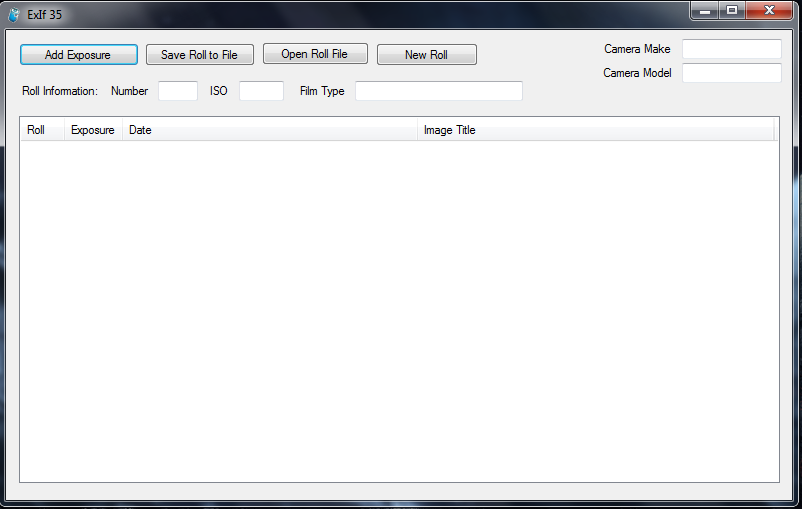
    Now that I have a 35mm camera I started thinking about the fact that most film photogs carry around little notepads. Well, I don’t like those notepads, at least not for long term storage of my picture information, so, I have written this little tool to store that information to a file, and eventually I hope to get the ability to write the ExIf data directly to the scanned negative files. [Screenshot]

    GITI Desktop
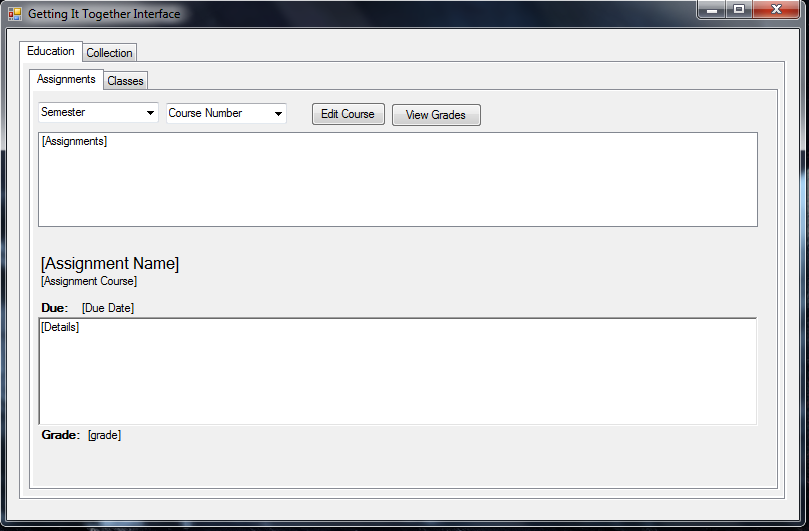
    A very basic desktop application that I have now abandoned working on. It is supposed to get information from GITI on the web and present it for the user, eventually it would theoretically be able to handle all of the modules of GITI, but that seems a little too hard at the moment. [Screenshot]

    GITI Cookbook
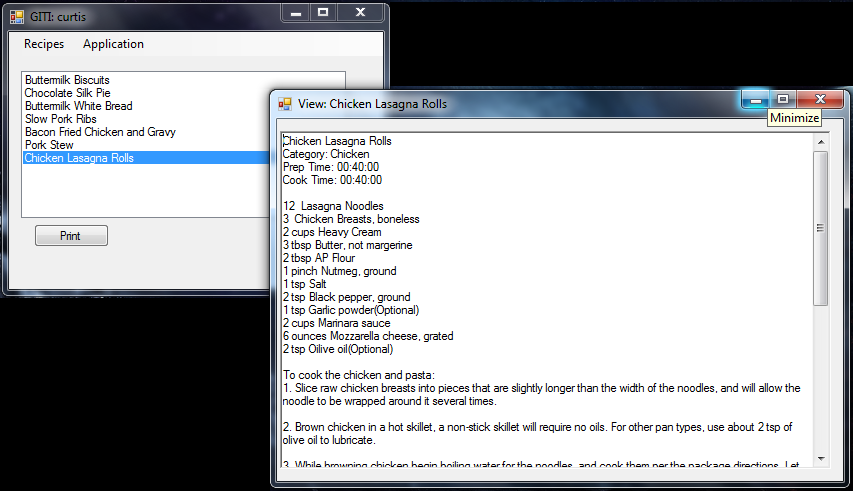
    This application has the GITI name, but isn’t strictly for GITI. It can retrieve recipes from GITI’s cookbook, but it can also retrieve recipes from a file, or take them from user input and then store them in a file. Very simple as far as use, but a really neat app to write from the standpoint of using XML and object orientation. [Screenshot]

    GITI Notify
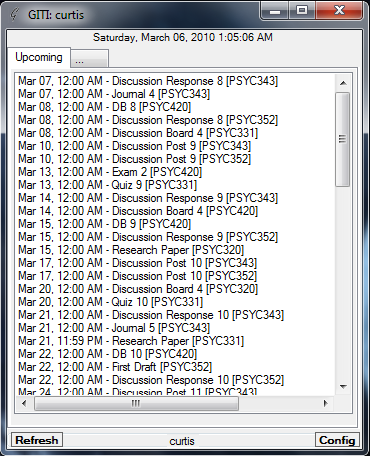
    This is my second attempt at a GITI application. This focuses on upcoming items in the queue of GITI. Nothing too complicated, a very clean app in my opinion. I want to add more things to it, such as status updates. I also plan to make it minimize to the tray. [Screenshot]

    GPSWriter
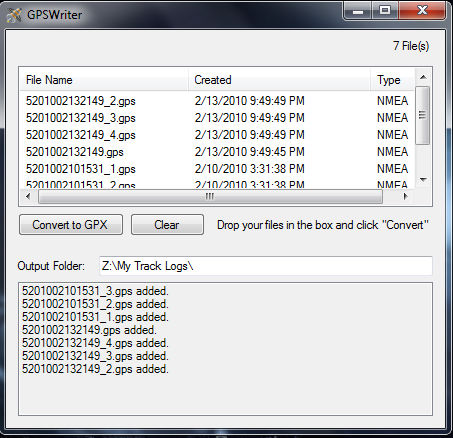
    This one is basically complete. It takes in files written by my GPS receiver (in NMEA sentence files), and then runs them through a pre-written converter (GPSBabel) and then places them in the proper folder. Its not a big deal, but I have given it a drag and drop interface that will let me put in a batch of files very easily. The app I use in the background to make this work only takes one file at a time. [Screenshot]

    Side By Side
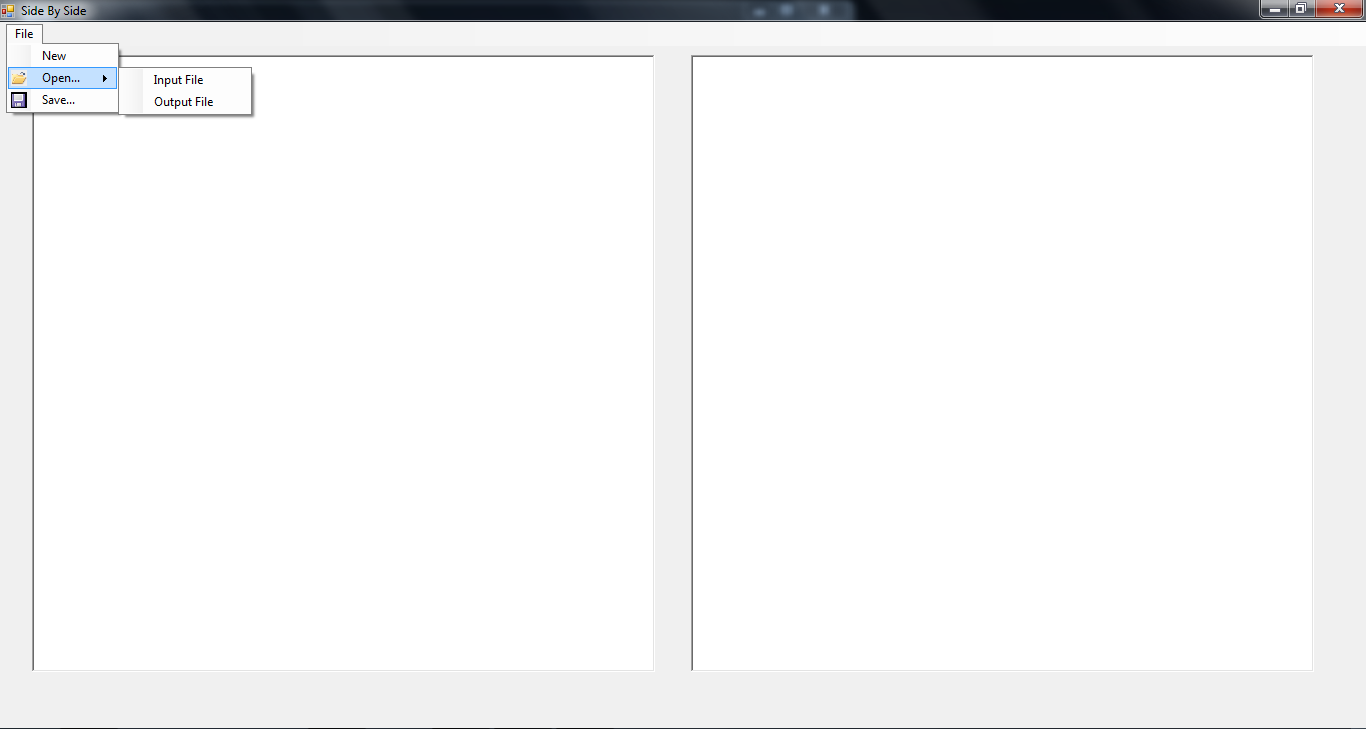
    This was born from one of the crazy little things that keeps me from replying to email. I hate having to move between windows or tabs or whatever to reply to a message. This little app will let me paste plain text into box 1 and type a response to it in box 2. I want to make this one more interesting, but it doesn’t really go beyond what I have mentioned as far as expected functionality. It’s like having two notepad windows side by side, except these two boxes are permanently bound by this single application. [Screenshot]

    Virtual Kiln
    This one I thought was neat at the time, but not so much now. It is a piece of software that mimics the controller on my kiln and tries to determine what the temperature might be when ramping up. In the future I might add the ability to save programs as well as kiln statistics in it. [Screenshot]

  • APA Reference Manager

    Today I have been avoiding getting started on a research project (not due until March 22nd). In place of working on the paper, I have instead decided to give myself a way to put my references into APA standardized form (revision 6).

    As usual, if you have lots of boredom, check it out: https://sourceforge.net/projects/aparefman/

  • Real World C# Object Oriented Usage

    I have never really had to work with Object Oriented programming for anything in the real world before. I have studied the theoretical implementations as well as done the course work required to make it happen, but this weekend I am getting my first taste of actually having to implement a solution (to an actual problem) using the C# language. Not to go into too many details, but there is a streaming media service that works on the concept of a web browser platform and then gives info off to a Windows Media plugin. Well, before a few days ago Chris and I were using another tool to read this info and let it pass through to TVersity so that we could listen to the stream without having to use a PC. A few days ago the media provider decided to change their URLs and as a result broke the previous tool. Unfortunately, we didn’t write the original tool, so there was no way to change the URL being used. In general, this sucks. We made an attempt at using C++ so that we could use some of the same libraries that the existing tool used, but unfortunately, after 45 minutes I couldn’t manage to get Visual C++ to take a string declaration (since C++ doesn’t take STRING as a primitive type). Once we threw C++ out the window and switched to C# everything came together and now the app is coming along nicely. I still have no clue if it will work, or if it will be able to be converted easily to a Windows service, but the whole damn thing is pretty fun to work on. I always stayed clear of object oriented projects, but this is coming out so clean as a result of using the objects. The only thing I am regretting is my lack of knowledge of how to extend/inherit classes in C#. I’m sure I could do it, but I probably wouldn’t like the difficulty in managing the resources implemented higher up in the chain. We have a pretty neat class that works on some of the HttpWebRequest/HttpWebResponse stuff in .NET, and it would be really cool to simply extend it with new methods than make everything have to call back to it. I might have to work toward that once this application actually works.

    I can’t believe that I haven’t taken time to write anything except GITI in the past few years, even though I obviously have the proper training to do pretty much anything I want in C# or Java (probably C++ too, but just not Visual, MS seems to have corrupted the zen of C++). I haven’t felt particularly useful in technical tasks lately, as in most of them, Chris is more talented than I could ever hope to be, but in the area of C++/C# programming, I seem to be the only one who has gotten then hang of the languages, although Chris has been very useful in figuring out certain things of logic.