Category: Programming

  • The Many Ways to Flash (or Not to Flash)

    Just thought of adding some of the more fun flash codes to my ExIf tool, but have decided against it for now unless someone directly requests it. I am perfectly happy with the binary choice of 0 (Flash did not fire) or 1 (Flash fired). All of the other options are roughly as easy from a logical standpoint, but they are much harder to pass into my existing code for encoding into the ExIf of image files.

    0000.H = Flash did not fire.

    0001.H = Flash fired.

    0005.H = Strobe return light not detected.

    0007.H = Strobe return light detected.

    0009.H = Flash fired, compulsory flash mode

    000D.H = Flash fired, compulsory flash mode, return light not detected

    000F.H = Flash fired, compulsory flash mode, return light detected

    0010.H = Flash did not fire, compulsory flash mode

    0018.H = Flash did not fire, auto mode

    0019.H = Flash fired, auto mode

    001D.H = Flash fired, auto mode, return light not detected

    001F.H = Flash fired, auto mode, return light detected

    0020.H = No flash function

    0041.H = Flash fired, red-eye reduction mode

    0045.H = Flash fired, red-eye reduction mode, return light not detected

    0047.H = Flash fired, red-eye reduction mode, return light detected

    0049.H = Flash fired, compulsory flash mode, red-eye reduction mode

    004D.H = Flash fired, compulsory flash mode, red-eye reduction mode, return light not detected

    004F.H = Flash fired, compulsory flash mode, red-eye reduction mode, return light detected

    0059.H = Flash fired, auto mode, red-eye reduction mode

    005D.H = Flash fired, auto mode, return light not detected, red-eye reduction mode

    005F.H = Flash fired, auto mode, return light detected, red-eye reduction mode

    On the other hand, I have decided to add all 21 types of light, since that seems more useful (and is less likely to give me a headache)

    1 = Daylight

    2 = Fluorescent

    3 = Tungsten (incandescent light)

    4 = Flash

    9 = Fine weather

    10 = Cloudy weather

    11 = Shade

    12 = Daylight fluorescent (D 5700 – 7100K)

    13 = Day white fluorescent (N 4600 – 5400K)

    14 = Cool white fluorescent (W 3900 – 4500K)

    15 = White fluorescent (WW 3200 – 3700K)

    17 = Standard light A

    18 = Standard light B

    19 = Standard light C

    20 = D55

    21 = D65

    22 = D75

    23 = D50

    24 = ISO studio tungsten

    255 = other light source

  • ExIf Bliss

    After a little more fighting, I finally got things about as far as I think I can. I do not have any lens information in yet, but as far as I can tell there is no officially supported tag for it, only things like Nikon’s maker note fields for it. It sucks, but unfortunately I am limited by the complexities of ExIf itself. I am starting to feel a bit like I am doing a lot of work for nothing, because in general I feel like I have no real results. I have not developed any of my own film and scanned it, so I won’t be able to do this with real images until I do.

    Camera: Nikon N80QD
    Exposure: 0.001 sec (1/1000)
    Aperture: f/2.8
    Focal Length: 50 mm
    ISO Speed: 400
    Flash: No Flash
    File Size: 5.7 kB
    File Type: JPEG
    MIME Type: image/jpeg
    Image Width: 554
    Image Height: 267
    Encoding Process: Baseline DCT, Huffman coding
    Bits Per Sample: 8
    Color Components: 3
    X-Resolution: 96 dpi
    Y-Resolution: 96 dpi
    Image Description: Test image for the Nikon N80QD
    Orientation: Horizontal (normal)
    Software: ExIf 35
    Date and Time (Modified): 2010:03:05 14:00:00
    Artist: Curtis M. Kularski
    Exposure Program: Aperture-priority AE
    Date and Time (Original): 2010:03:05 14:00:00
    Date and Time (Digitized): 2010:03:08 21:53:53
    Metering Mode: Average
    User Comment: Shot on Fujifilm Neopan 400
    Focal Length In35mm Format: 50 mm
  • ExIf Bytes

    I am victorious over ExIf! The documentation for ExIf overcomplicates things. While ExIf uses a lot of different types (0x1 through 0xA), it is possible to interact with most common values utilizing only 2 of these, 0x2 and 0x5. 0x2 is the null terminated string, and 0x5 is the 2 pair of Long Ints, acting as a rational. It would also seem that even though the documentation suggests that length only matters for 0x2, it cares for all of them, so it is a must to give the length of the byte array used to carry the long ints. A small error on my part was trying to convert directly from String (because I used System.Window.Forms.TextBox to get the information) to byte[] without passing through the intermediate int, or trying to convert to byte[] from double, which was very nasty. I learned these little tricks about things by reading in ExIf information in the application itself without the aid of any little helper apps that try to clean things up, it make the structure a lot more clear.

    For anyone else trying a similar exercise in futility, here is a bit of my code:


    if (Type == 0x2)

    {

    tmpProp.Len = value.Length + 1;

    value = value + nullChar;

    tmpProp.Value = ASCIIEncoding.ASCII.GetBytes(value);

    }

    else
    if (Type == 0x5)

    {


    Byte[] tmp1 = BitConverter.GetBytes(Convert.ToInt32(value.Split(‘/’)[0]));


    Byte[] tmp2 = BitConverter.GetBytes(Convert.ToInt32(value.Split(‘/’)[1]));


    Byte[] tmp3 = new
    Byte[tmp1.Length + tmp2.Length];

    tmp1.CopyTo(tmp3,0);

    tmp2.CopyTo(tmp3, tmp1.Length);


    tmpProp.Value = tmp3;

    tmpProp.Len = tmp3.Length;

    }

    I love C#, so simple, but yet such a pain in the ass, all at once.

  • Still an ExIf No Go

    I am still trying to wrap my head around everything in ExIf. The Strings are no big deal, they just convert cleanly to byte arrays and go into the file, but I don’t even know where to begin making things the right format for everything else. If anyone can make any sense of this, please see the documents below, and if you think you can help, request to be added to the project on SourceForge so you can have SVN access to active code.

    http://msdn.microsoft.com/en-us/library/system.drawing.imaging.propertyitem.type.aspx Defines the types I am forced into using

    http://www.exif.org/samples/nikon-e950.html Gives some examples of the fields and their values (still not helpful, since it doesn’t give me the raw input form)

    http://msdn.microsoft.com/en-us/library/ms534418%28VS.85%29.aspx The tags, in order, that VS supports.

    http://exif35.svn.sourceforge.net/viewvc/exif35/ExIF35/ My source code. Feel free to poke around.


    The problem:

    Everything has to be converted to an array of bytes (byte[]). I do not know how to get things like 1/100, 2.8/1 and 50/1 into the proper forms (see first link above) to put them into the byte array. I am just so incredibly frustrated at this point.

  • Fighting ExIf

    The Exchangable Image-file Format is a nice little thing that keeps up with information relating to how a picture was taken, where it was taken, who took it and what is in the picture (as vague as how far from the camera the subject, or even detailed information about the subject). The use of ExIf is primarily linked to digital photography, but there are some instances when it doesn’t have to be. The options for storing the type of sensor method used to capture the image is certainly a digital-only field, however, there are things such as “DTDigitized”, which is “Date/Time Digitized” that would indicate that the moment the image was captured and the moment it was digitized might be more than a second apart (such as in film photography).

    I am horrible at keeping up with notes, so I am attempting to write software that will store all of my relevant information for me. The software for storing the actual notes was not a big deal, it is just a form that writes everything to a giant XML file, no complication there. Where things get tricky is the writing of data to the files themselves. First of all, with as common as ExIf information is, I assumed that there was some type of text-based value used to identify the properties, that isn’t the case, they are large integers (such as 0x8827 for “ISO Speed”). Those integers map to a specific property. The information itself is stored as individual arrays of bytes, no strings at all, everything is stored numerically. Things have to be written in a very particular way or else when the bytes are converted back to strings for reading, things don’t match up and you get off the wall values.

    Now I am fighting with C# and the .NET System.Drawing.Imaging library (specifically the PropertyValue class) in an attempt to make everything work out. I have to set like 4 values for each one ExIf property I want to use. It is going to be a very long night before this application is ready for use.

  • Writing Software

    It seems like lately I have been creating a lot of software applications, but not really getting any of them where I want them in terms of functionality. All of my apps are very specific in what they do and aren’t really of much use to anyone else. Several of these applications are in the repositories on SourceForge and their code is publicly viewable. I am starting to think I should put some effort into all of these, except the ones relating to GITI, since they are merely supplements to the online system itself.

    APA Reference Manager
    The insanity this came from was dodging writing a paper, while still sort of working on it. It’s pretty much the same as the web-based conversion services, except this one is on your PC and won’t suddenly demand a fee to get your references [Screenshot]

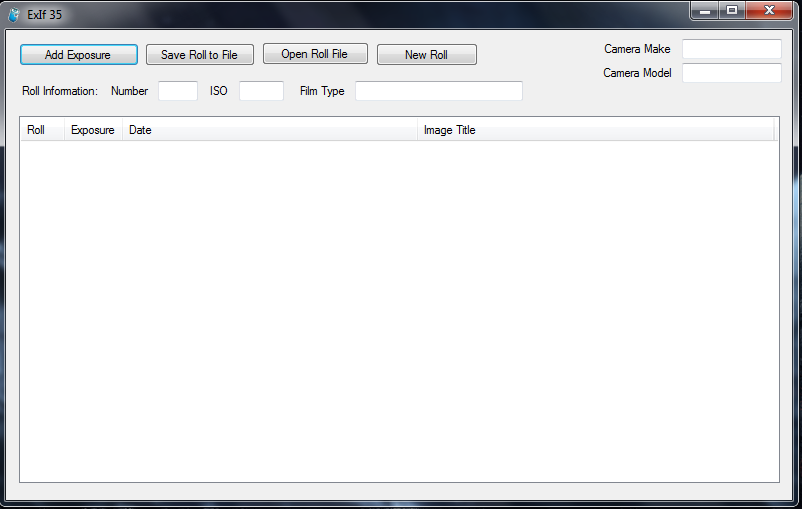
    ExIf 35
    Now that I have a 35mm camera I started thinking about the fact that most film photogs carry around little notepads. Well, I don’t like those notepads, at least not for long term storage of my picture information, so, I have written this little tool to store that information to a file, and eventually I hope to get the ability to write the ExIf data directly to the scanned negative files. [Screenshot]

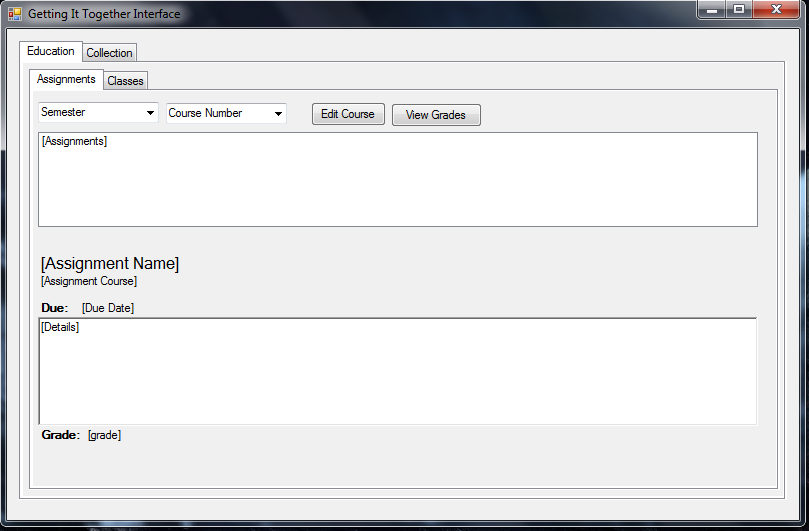
    GITI Desktop
    A very basic desktop application that I have now abandoned working on. It is supposed to get information from GITI on the web and present it for the user, eventually it would theoretically be able to handle all of the modules of GITI, but that seems a little too hard at the moment. [Screenshot]

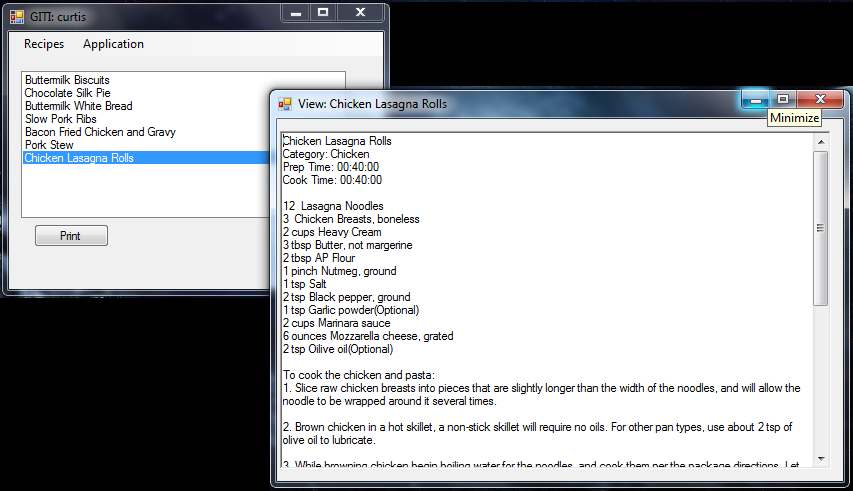
    GITI Cookbook
    This application has the GITI name, but isn’t strictly for GITI. It can retrieve recipes from GITI’s cookbook, but it can also retrieve recipes from a file, or take them from user input and then store them in a file. Very simple as far as use, but a really neat app to write from the standpoint of using XML and object orientation. [Screenshot]

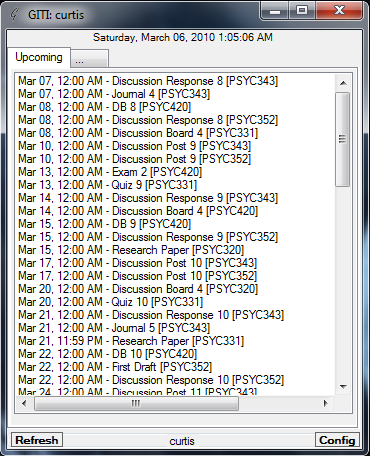
    GITI Notify
    This is my second attempt at a GITI application. This focuses on upcoming items in the queue of GITI. Nothing too complicated, a very clean app in my opinion. I want to add more things to it, such as status updates. I also plan to make it minimize to the tray. [Screenshot]

    GPSWriter
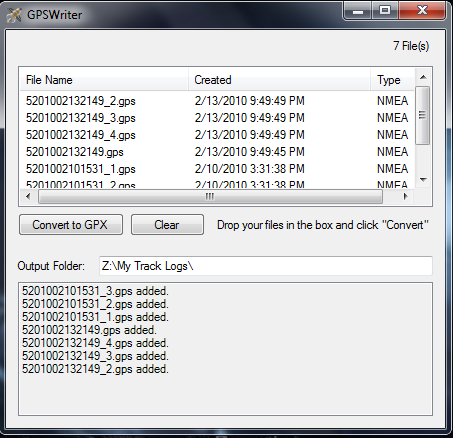
    This one is basically complete. It takes in files written by my GPS receiver (in NMEA sentence files), and then runs them through a pre-written converter (GPSBabel) and then places them in the proper folder. Its not a big deal, but I have given it a drag and drop interface that will let me put in a batch of files very easily. The app I use in the background to make this work only takes one file at a time. [Screenshot]

    Side By Side
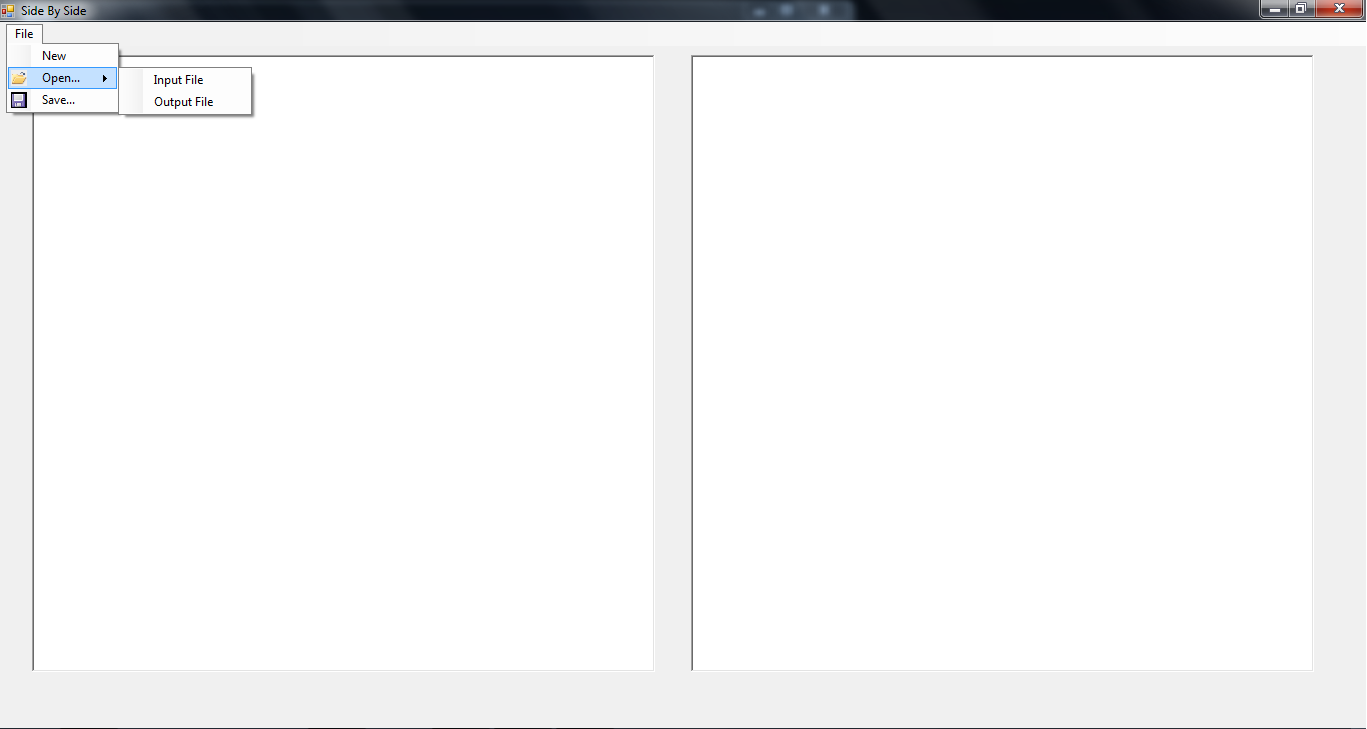
    This was born from one of the crazy little things that keeps me from replying to email. I hate having to move between windows or tabs or whatever to reply to a message. This little app will let me paste plain text into box 1 and type a response to it in box 2. I want to make this one more interesting, but it doesn’t really go beyond what I have mentioned as far as expected functionality. It’s like having two notepad windows side by side, except these two boxes are permanently bound by this single application. [Screenshot]

    Virtual Kiln
    This one I thought was neat at the time, but not so much now. It is a piece of software that mimics the controller on my kiln and tries to determine what the temperature might be when ramping up. In the future I might add the ability to save programs as well as kiln statistics in it. [Screenshot]

  • More GITI Problems

    If you are sick of hearing about me talk about GITI and her problems, upgrades, etc, feel free to skip this entry (unless you are Chris, in which case, boyfriend, your help is required).

    I am having problems with GITI, but not on the level of things technologically working or not working, it’s more a matter of things not being philosophically right with it. It is one thing to record academic assignments in a fairly plan way, that’s all there is to it, you enter an assignment, do the assignment, then enter a grade for it. No big deal, no crisis, everything is self contained. Now, this philosophy does not hold for components of the Health module. Logging meal records and workout records that way is good for record keeping sake, but it is lacking for usefulness in life improvement. The masturbation log is probably ok as is, not much to it beyond a journal entry. My primary concern with these things is that GITI is not being as useful as it could be. A select box of exercises is fine for the most part, but it is lacking in depth. I find myself wishing I could have GITI describe the workout to me, or better yet, give me a description with a picture. This of course would require me being able to supply the information to GITI, but that shouldn’t be a problem. As it is now, I have no ability to add such information, mostly because of the limited nature of fields, but how much do we want to expand fields. Is there a use in other modules for that particular functionality? I think there could be. Category icons could be useful, and would certainly be something that might be welcome in GITI v3. As for the meal log, it is difficult to access and utilize. There is no clear way to retrieve data from it, other than entering a date by hand and that is not very user friendly. I know that GITI doesn’t have access to a huge nutritional database, but it would be nice if something simple could be added, but looking at the module, I do not know where such a function would be placed. I find myself looking at other modules and thinking that their functions are so simple, most have the functions of insert, update, view, and when we are lucky, delete. They do not tend to contain more than one major type of data, which in my opinion makes them less useful than they could be (with the exception of Education, that monster is self contained and everything makes sense in data structure land, just not in the UI).

    A few days ago when preparing a user account and also when packing up GITI for a theoretical off-site implementation, I realized how little GITI actually does. Without user data GITI is a cold, barren place. It doesn’t even look like itself without user data. Perhaps having more information available in GITI would be useful. Obviously information that would have to be licensed would be out of the question, but yet, simple things that are fairly common knowledge (or can be easily obtained from Wikipedia) may be useful. Why should a user have to leave the site to figure out what a particular exercise is? At the moment there is no construct in GITI to allow for The Interface itself to have such information, all information is owned by the end users, and areas where System could own data for such purposes are not elaborate enough to handle the ideas I have. I suppose GITI Doc could handle a great deal of it, but it is still limited and is not secured for any type of inter-user sharing or anything like that, hence, System Docs would not be safe from end-user edits, which makes me uneasy.

    Any time I think I have finished in some major way with GITI my life changes in such a way as I have to either add a module, or bring back to life a module from my past which had long since been forgotten (I know it’s been a long time when it still tries to access the common data commands, oh how GITI v1 can we get). I am not looking to overhaul GITI, I just need to figure out how to add a little more information and make GITI a little more useful.

  • Procedures and Precedence

    It seems like too often I have to question GITI in some way. Sometimes it is in the form of the amount of time I have to spend directly modifying the database, other times it is in the lack of a coherent user experience. The most recent situation of this was this morning when several times while working out I had to go into the database to add new entries for exercises that were not yet in the ‘fields’ table. If I were a normal end user I would be basically screwed in that situation since there isn’t an “other” and the health_exercise module uses only “system” fields, it does not allow for the end user to extend what is available. Why not? I do not know, it just was never considered, I guess as a result of me reacting to other modules that use user-level fields that are really inconvenient. I have found that in general the system level fields are more useful and tend to be less user intrusive, since it forces an administrative decision on what the fields should contain, but in the end it comes out show GITI to be a little inflexible in some areas. In almost no area of GITI do I use any type of coherent shared fields… a set of base values specified by an administrator and then a set of additional user values that can apply to the same field. Also, it is an ideal of GITI for each module to control its own fields when they are needed, this hasn’t gone so well in implementation as I have yet to write a single bit of code to allow a user to add an assignment type to the assignment addition area write in the education module, or about 1000 other annoying little spots where such functionality would be really cool. Now I find myself with a decision to make. GITI needs consistent fields, and of course with its requirement of minimizing waste, it must keep user information redundancy to a minimum. Which would work better: users able to add values to fields for themselves (in addition to system values), or a way for users to propose system values? Maybe the answer is in both, but that gets complicated, as it would require allowing users to add values themselves and then recommend for system wide usage, at which point the user would lose access to modify the value they created. I want consistency and extensibility, but there is so much to consider. There have been no procedures specified until now to handle more than 2 or 3 users on GITI, but if I want to get feedback and learn how to make GITI better, I am going to have to prepare it for more than the number of users in my comfort zone. There simply is no precedent in GITI’s history for the type of things I am wanting to accomplish.


    Related Links:

    http://www.pcfire.net/giti/ideals/ – The GITI Ideals

  • APA Reference Manager

    Today I have been avoiding getting started on a research project (not due until March 22nd). In place of working on the paper, I have instead decided to give myself a way to put my references into APA standardized form (revision 6).

    As usual, if you have lots of boredom, check it out: https://sourceforge.net/projects/aparefman/

  • GITI As An Application… Again

    I am once again attempting to build GITI as an application, this time with more seriousness than my previous attempts. The problem I am running into is that I am discouraged from developing it in C# because there is already a fully build PHP version that works pretty well. The PHP version is HUGE compared to things I can easily do in C#. This makes the desire to move to an application base less than the desire to continue development in PHP, even though I know that I need something on the desktop side to compliment the web based version.

    In web land it is incredibly simple to make everything very specific because the user is always on a different page, but on a desktop application the same user interface is used for most things (otherwise, it becomes a mess), so things have to be general. So far I am working with this by having a basic class for “GITIObject” and then I extend it with things like “ClassObject” and “AssignmentObject”, but I am still having a hard time, because things are so different. What I have learned so far today is that GITI has two distinct classes of items it handles. The first class is in the way of education assignments, schedule items and todo items, collectively they could be called “Activity Items”. Next there are the things like keys for software, address book contacts, recipes and such, those are “Data Items”, things that don’t change state and do not need to be brought to the user’s attention unless they are asked for.

    At the moment I am attempting to work with all of those items using a GITI application, and just with the Activity Items by using a smaller application I am working on, called “GITI Notify”, which is basically a glorified listbox that updates with information from GITI about current assignments and schedule items.

    One day, GITI will work on desktops and the web.