Category: Technical
-
Google Apps Transition
A few days ago I was prompted in the Google Apps administration panel to transition my accounts to using the new system, which allows a Google Apps account to access everything that a normal Google account can, except for YouTube and a few services that no one cares about. I selected to push forward and move my 7 users across to the new system.
So far the annoying thing is obvious, there is no easy way to move things like Google Reader settings from the old account to the “new” apps account. Also, there is no mechanism for re-associating a Google Voice number with a different account. At the moment I have an additional number, and I’m trying to figure out what to do about it. Because of improvements since I got my original number with GrandCentral I was able to pick a number that has the last 7 digits the same as my current land-line, but in the 775 area code. The funny thing is that the new account is more “functional” than my old account, as it already knows all of the information from my GMail account. I still have to move a few of my settings though.
I love that things are available more universally now, but I wonder why this wasn’t done when Google Apps was created? It seems a little late in the game. Thankfully, they have created multiple-logins so we can switch between IDs more flexibly (especially those of us who have 1 on apps, 1 regular and a few from schools).
-
Being Deleted
One of the most frustrating things that can happen in a centralized network environment such as Active Directory is the deletion of one’s user account. I have never given much thought or had any sort of plan in place for the situation of an accidental account deletion, but on Sunday evening, such an event occurred.
For a few months Chris and I had been toying with the idea of using Exchange to replace IMail as our primary local email server. I toyed with the idea, Chris toyed with Exchange on a virtual domain controller (as a Domain Admin, he’s allowed). Sunday evening it was decided that if we ever did use Exchange we would have to start over anyway, so he proceeded with removal. To remove Exchange Server requires the removal of the mailboxes associated with it. Somehow in the process of removing mailboxes, Chris managed to remove my entire Active Directory account. I was unaware of the removal at first, but a few minutes after it occurred, my laptop asked me to re-authenticate myself to the domain. I was about to do it when Chris advised me that it might not be such a good idea. I was obviously quite pissed when I found out what happened.
Upon discovering that my account was deleted I immediately did something equally as stupid, I created a new account with the same name, complicating everything. First of all, I forgot that Active Directory keeps a trashcan of discarded objects for at a minimum of 12 hours before objects are permanently removed. Everything went downhill from there. I assumed that it would be much easier to just simply create a new account than it was to try to reanimate the tombstoned object. I believed this based on the fact that throughout the network all of my rights are based on the fact that I am a member of Domain Admins and Administrators, not my individual rights to objects. I was only half right. My rights to other users’ files and to the machines themselves are derived from my membership in the groups. My access to my files was through my user account itself. That wasn’t too bad to fix, I just had to take ownership of the files and then assign myself permissions to the objects (time consuming, but not hard). As for my user profiles, those for the most part are contained in the files each machine maintains about me and only 2 computers really care that I exist, my laptop and my primary server. I use my desktop so little that I wouldn’t notice if I was loaded on a default profile. On the server I did the usual steps, logged in to my new account and then used an adminsitrator account to copy the old profile over the new one. This worked great on the server, but on my laptop (where it matters), this little trick didn’t go over so well. I managed to somehow end up in a user environment that was non-functional, I didn’t have permissions to use explorer (means no control panel, no My Computer, no anything). After repeated attempts to correct the flaw I found that no matter what I did, the account still wasn’t functional, which meant that Windows had managed to corrupt its understanding of me somewhere on that name vs. security ID border. After too many hours of fighting with it, I took the plunge and reinstalled Windows.
The moral of the story is simple, if you find yourself deleted from Active Directory, it is much easier to go dumpster diving in LDAP than to recreate yourself in the image of your previous self.
-
Hidden Features in GITI
Sometimes I get distracted, so distracted in fact that I forget to do things that one might consider important, especially when writing code. It would seem that about a year ago when I wrote code for adding batches of assignments to GITI I thought far enough ahead to add a “batch stamp” to the assignment records so that assignments added together could be traced together. The failing here is that when I remembered to write the code to make the stamp I failed to remember to write the proper code to actually use the stamp for anything in the UI itself. Chris accidentally added a batch of assignments to the wrong course (nothing wrong with it, I did it at least 5 times when I first started using the batch add system), and short of checking all of their little boxes on the pending assignment page and doing a bulk change there is no good way to assign them to a different course (and at this moment, I try to recall if it will change the course serial number or just the course code on the assignment). So, oops… I forgot to write the code to call back a batch of assignments. I guess I add that to my list of bugs to workout as Education crosses over to the v3 platform.
-
End of an Era
I have been blogging on the Moveable Type platform for over 6 years now. It has been upgraded and mutated and I have customized some things, but in general, it never did become as familiar as it should have been. At this moment the original blog address (disturbingthoughts.net) runs on MoveableType and the new blog address (icurtis.me) is running on WordPress. I have tried WordPress before in an experimental capacity, but this time it is permanent. In a few days (or maybe weeks) the old platform will be abandoned. Chris and I have mutually agreed that MovableType is crap and no longer met our needs. At the time MovableType was first implemented it was the stable and reliable platform. Unfortunately, not a lot of people really got behind it and its parent organization allowed it to mutate into some sort of nasty CMS management application.
It will take time to move all of my blogs to their respective installations of WordPress since it is not centralized and I am still quite unfamiliar with how everything works. This blog, while being the largest turns out to be the easiest to move to a new platform, as it had an alternate address that almost no one uses and it has very few dependant web applications, whereas some of the others have websites associated with them and things that make their transition more of a challenge. That being said, my status website as well as the experimental unified presence at livecurt.net will be halted until they are revised to work on the new platform.
When I agreed to be moved to WordPress I thought it would be a very difficult thing for me to warm up to it and agree to give up the more familiar platform, but I’m not finding the types of oppositional emotions that I originally thought would occur. WordPress is flexible, fast and has a more understandable management functionality than I could have ever hoped for from other applications. I am not sad to see MT go, it was a pain and will not be missed.
-
Organizing Apps
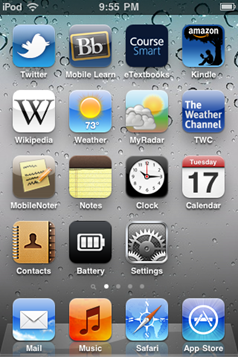
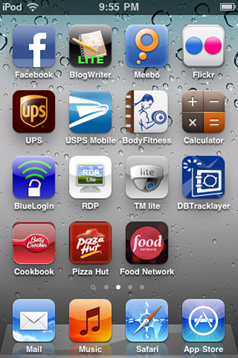
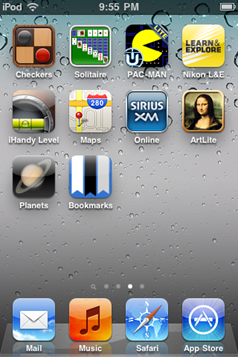
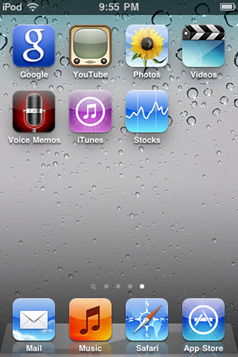
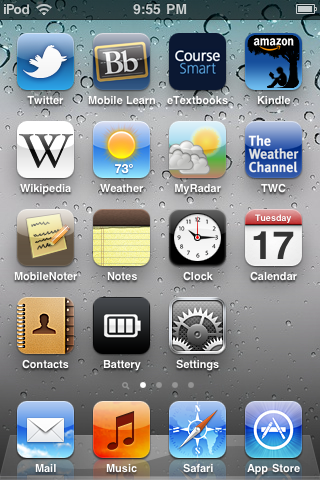
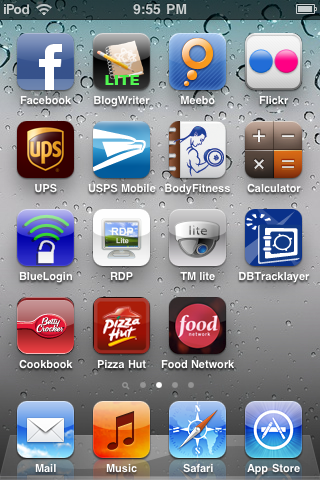
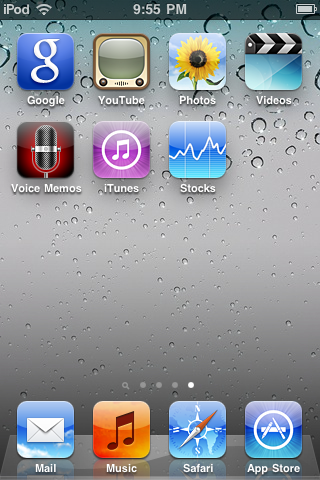
Maybe there is something wrong with me, I can’t manage to get my apps organized into a sensible way. Anyone want to offer some suggestions? I’ve tried dragging my apps around and I just can’t get them into a sensible arrangement and I hate the iOS folder grouping stuff.
-
A Real Post About iPod
The previous blog entry was composed and published from the iPod itself, and thus, is a very minimal entry.
The first thing I noticed about the iPod was that Apple doesn’t seem to want users to get to their products. It took Chris and I several minutes to get the device out of its plastic shell. Second, perhaps the most annoying aspect of the device, is it must connect to iTunes. I didn’t love being asked for my billing information upon first connecting the device, but I went with it.
After getting everything going I started looking for apps. I tried to recall every app that I had seen that I had thought was interesting over time. I remembered a few. I’m trying new things and working towards determining what my functional level with this device is going to be. I have already deleted one app from my device, AIM. I have decided to replace it with Meebo, which seems to be a lot less annoying and a bit more useful.
Currently installed applications include:
- Blackboard Mobile Learn – an app for accessing the Blackboard server at Fayetteville. Will greatly improve my connectivity with my courses this fall.
- Twitter – duh, an app to interact with Twitter. Post things, read posts, reply.
- Flickr – not very useful for me as I don’t upload on the go, but in general is pretty sweet for reviewing my photostream
- MyRadar – National Weather Service radar images, nice for checking out what clouds are doing
- Kindle – Amazon Kindle reader
- Meebo – Multi-network instant message client, since Purple doesn’t travel yet.
- BlogWriter – a minimalistic blogging tool. Only does one account, but I think its pretty neat for simple stuff.
- Bookmarks – delicious bookmark app. Doesn’t work with Safari at all, but isn’t too bad, as it keeps all of my links with me.
- Google – Google search, Google Apps
- Nikon Learn and Explore – Photo glossary as well as general info for most Nikon cameras. Nice substitute for some of the manuals.
- SiriusXM – listen to web-based XM streams on the go
- UPS – Track packages, schedule pickup
- BodyFitness – workout guide and personal exercise journal
- Battery – the iOS battery meter sucks, so have to use this.
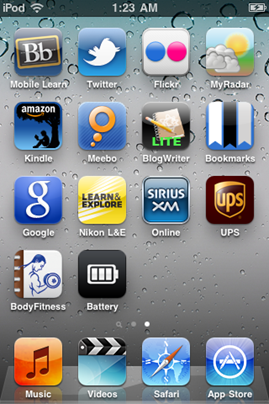
The only thing about the device that makes me feel limited is the design of the touch system. It only seems to respond to human touch, so a normal stylus will not work, I am going to have to obtain a special stylus for such things. There are some things that seem missing, such as an IR port, but otherwise, I’m pretty happy with the device.
-
iPod Touchiness
Due to a very kind friend I now have an iPod Touch. I have spent a few days with it and I must say that I love it. It is much different than what I expected. It is so much more than a music player and even beyond a PDA. The device is so versatile. The main reason I like it is all of the apps. I have downloaded apps for Twitter, flickr, NWS radar, UPS tracking, Kindle, and the Blackboard Learning Suite. Oh, and one for blogging, which I am currently using. In so many cases it can replace a laptop for basic tasks, and it stays out of the way most of the time. I was a little skeptical of getting the device at first because it is an Apple and I had before sworn to never use one of their devices. So far I am hooked. I do find myself wanting a Bluetooth keyboard or stylus input.
One thing I don’t understand is why people have so many typos on these devices.
-
Refining the Online Presence
I feel like I have been fighting with my digital identity for a long time now. I start on these little projects of integrating things and it just never seems to all come together. I was originally intending to work with SiteEngine to have a central place for all of the content related to me. Now, I’m not sure exactly what I want as an end result, but I do know that 1 central place is not something that has ever worked for me, no matter how good of an idea it may seem. I think the best I will be able to do is integrate my blog, status, and other RSS-compatible systems into a central site (probably under the www.icurtis.me address). I have decided that I would very much also like to have a less dynamic site that is more of a portfolio of my work, spanning the areas of ceramics, programming and photography. The site would focus a lot on my work, perhaps even some of my thoughts on my work, but no where near as detailed about me as the ClayMentality site. The problem with the portfolio idea is that I would have to take a lot of photos for the ceramics portion, do screenshots that show my programming projects in a flattering way and sort through my existing photos to showcase my best. Somewhere in all of this I also want to fit in room for my Curriculum Vitae and/or a resume. Every time it comes to developing something like this for myself I find myself getting distracted and moving on to other projects that don’t involve having to organize things that are from my complicated life.